

Summarize this article with
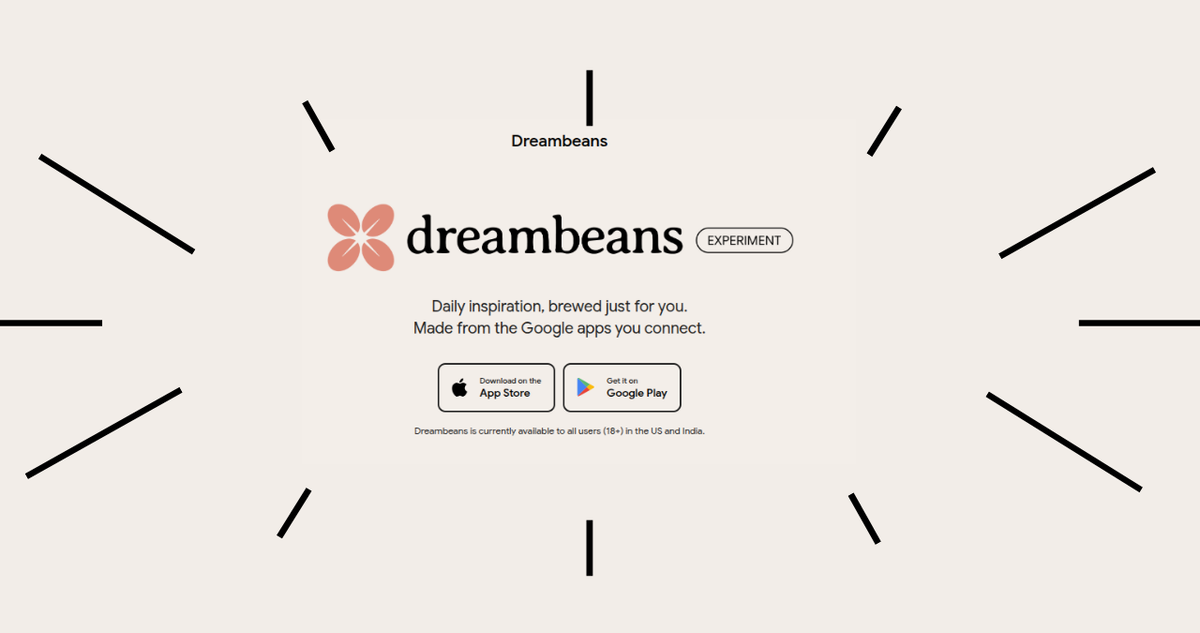
Google just dropped Dreambeans in India, and it’s not another chatbot. The Google Dreambeans AI story app reads the Google apps you choose to connect and turns that info into illustrated daily stories, in English plus 13 Indian languages. It launched on November 3, 2026, for Android and iOS users aged 18+. I went through Google’s official India announcement, the App Store listing and the launch coverage so you get the useful bits fast: what it does, how to set it up, and what you’re trading for those stories.
What Is the Google Dreambeans AI Story App?
Dreambeans is an experimental app from Google Labs that builds a personalised, illustrated story feed for you every day. You don’t type prompts. It pulls signals from apps like Gmail, Calendar, Photos and YouTube, then serves visual stories about your plans, interests and routine.
Think of it as a morning newspaper written only about your life. NewsBytes describes it as a passive storyteller rather than a Q&A tool. A story might nudge you toward a nearby café, a weekend craft idea or a local event. You can open it for details, bookmark it or share it.
Dreambeans in India at a Glance
| Detail | What you need to know |
|---|---|
| Developer | Google Labs (experimental) |
| India launch | November 3, 2026 |
| Platforms | Android and iOS |
| Age limit | 18+ only |
| Account | Personal Google account (not Workspace) |
| Languages | English + 13 Indian languages |
| Data sources | Calendar, Gemini, Gmail, Photos, Search, YouTube |
| Price | Free to download; App Store lists in-app purchases |
| iOS version | 1.1583.0 (updated November 2, 2026) |
What I Found in the Dreambeans App Store Listing
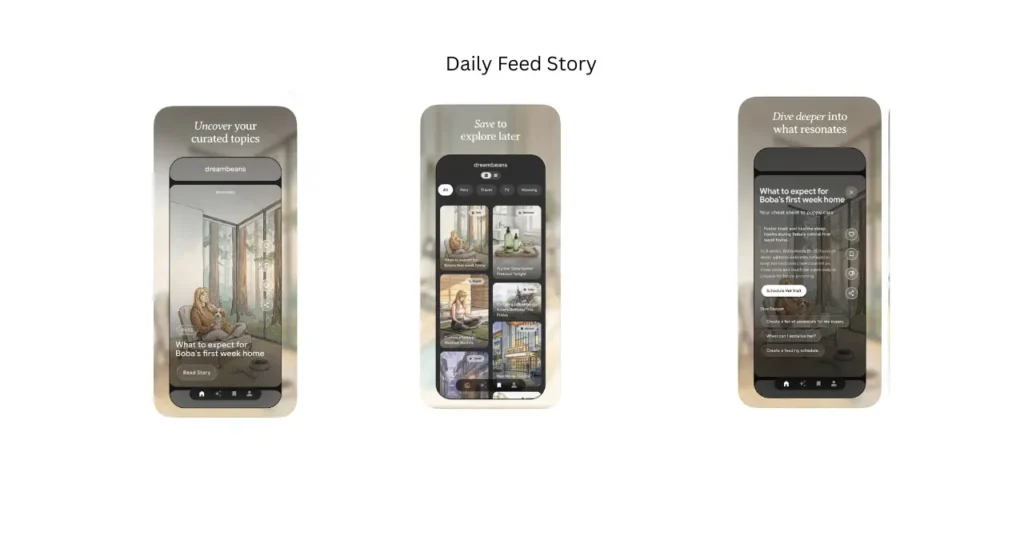
The App Store preview shows how a day in Dreambeans actually looks. Each story card carries a time label like “Morning,” a topic tag such as Pets, Travel, Wellness, Gifts or Movies, and an illustration styled around the people and places you visit most.
Google pitches the feed as finite on purpose. You get a set number of stories each day, not an endless scroll, the opposite of how most social apps keep you hooked.
| Feature | What it does |
|---|---|
| Story card | Topic tag, illustration and a “Read Story” button |
| Dive Deeper | Suggested follow-ups, like “Create a feeding schedule” |
| Action buttons | Shortcuts such as “Schedule Vet Visit” |
| Feedback icons | Like, save, thumbs-down and share on every story |
| Library | Saved stories in grid or list view, filtered by topic |
Dive Deeper also pulls info from the web, so a story can turn into a checklist or plan. The thumbs-down icon is how you steer the feed away from topics you don’t care about.
Which 13 Indian Languages Does Dreambeans Support?
Dreambeans supports Hindi, Bengali, Telugu, Marathi, Tamil, Urdu, Gujarati, Kannada, Malayalam, Odia, Punjabi, Assamese and Nepali. Add English and you get 14 languages in total, which is why some outlets, like this Hindi-language report from Digit, say “14.”
One catch: you can pick only one story language at a time, as both Winzheng and Gadgets Now point out. If your chats run on Hinglish or Tenglish, that feels a bit stiff.
Regional outlets are covering it too, from Marathi coverage on Prahaar to Kannada coverage on Digit.
How to Set Up Dreambeans in 6 Steps
- Download Dreambeans from the Google Play Store or Apple App Store.
- Sign in with your personal Google account.
- Set up your profile.
- Choose which Google apps Dreambeans can read.
- Pick your story language.
- Browse your daily stories, then open, bookmark or share the ones you like.
Gizbot’s walkthrough covers the same flow. Step 4 is the one that matters most, so don’t speed through it.
What I Noticed About the Privacy Trade-Off
Dreambeans works only as well as the data you feed it. Connect Gmail, Photos and Search, and an AI gets a pretty full picture of your life.
The App Store privacy label goes further than the connected apps. It says Dreambeans may collect data linked to your identity, including purchases, location, contacts, contact info, search history, user content, identifiers, usage data and diagnostics. Read Google’s privacy policy if that list makes you pause.
The good news is that you stay in control. Business Standard reports that you choose which services to connect, and you can disconnect them later or delete your Dreambeans data.
| Connect this | What you likely get | Privacy weight |
|---|---|---|
| Calendar | Stories around upcoming plans | Low |
| YouTube | Stories built on your interests | Low to medium |
| Photos | Memory-style recaps | Medium |
| Gmail | Bookings, deliveries, receipts | High |
My advice: start with Calendar and YouTube only. Add more once you trust the output. And check your Google Account data and privacy settings every few weeks.
Is Dreambeans Free?
It’s free to download. Launch reports don’t mention a subscription, but when I checked the App Store page, it shows an “In-App Purchases” label, with no details on what you’d pay for. Since it’s a Google Labs experiment, features and pricing could change, and Labs projects sometimes get shut down.
Why India Is a Big Test for Dreambeans
India is the first market outside the US to get Dreambeans, as India Today notes. The timing tells a story of its own. NewsBytes reports that US downloads dropped about 84% month-on-month to roughly 5,500 in October. On the App Store, I saw the app doesn’t yet have enough ratings to show a score.
So India, with its huge mobile base and appetite for local-language content, is a second shot for the app. TechCrunch’s launch report frames it as Google trying to bring personal AI storytelling to the masses.
My Take: Who Should Try It (and Who Can Skip It)
Dreambeans suits you if you live inside Google’s apps and want low-effort ideas for your week, in your own language.
Skip it if you’re careful about data, or if you already use Gemini and want answers on demand. Dreambeans won’t wait for your questions. It decides what to show you.
FAQs
Can I use Dreambeans with a work Google account?
No. It needs a personal Google account.
Is Dreambeans available for teens?
No. It’s limited to users aged 18 and above.
Can I hide topics I don’t care about?
Yes. Tap the thumbs-down icon on a story to tell Dreambeans it missed the mark.
Can I get stories in Telugu and English together?
Not at once. You choose one story language at a time.
The Bottom Line
The Google Dreambeans AI story app is a free-to-download, experimental daily feed that turns your Google data into illustrated stories in 14 languages. It’s a fun cheat code for weekend ideas if you’re fine sharing data. Connect only what you’re comfortable with and keep an eye on settings. Tried it in your language yet? Share how the stories turned out.
Read more: The Importance of Application Modernisation Services