

Summarize this article with
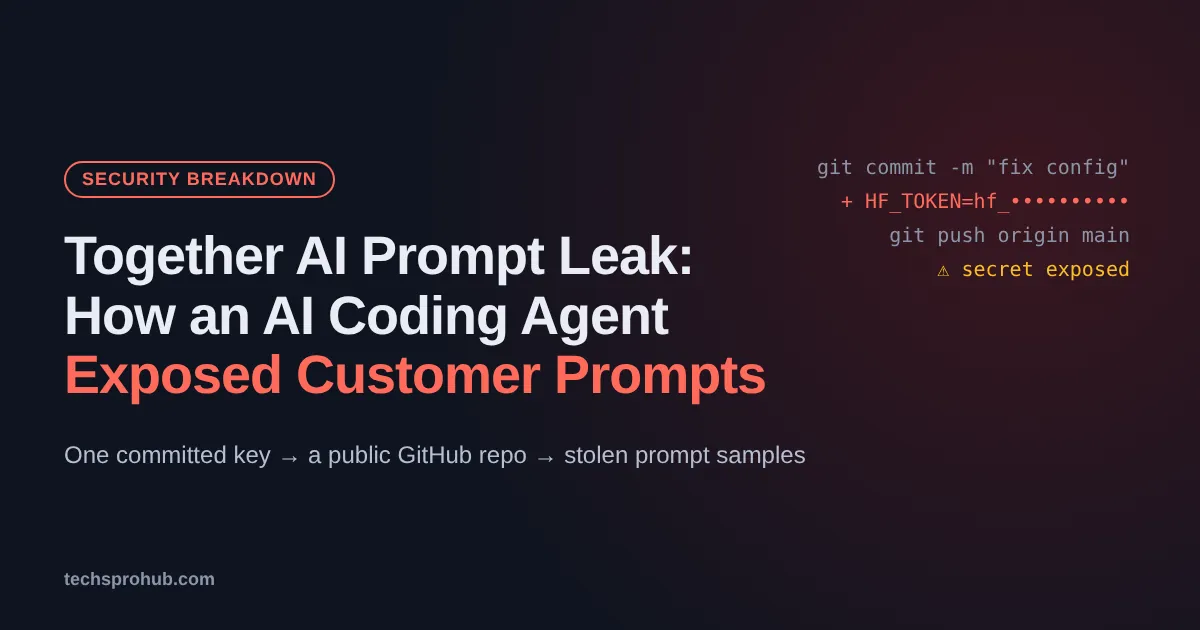
An AI coding agent pushed one secret key to a public GitHub repo. That single slip is behind the Together AI prompt leak, disclosed on November 21, 2026. Someone used the key to download the stored customer prompts, then dug through them for even more passwords.
If you ship code with AI agents or send prompts to any AI API, this one’s for you. Here’s what actually happened, why it’s part of a much bigger mess, and the fixes worth doing this week.
The quick answer: what leaked in the Together AI prompt leak?
An unauthorised party downloaded stored samples of customer prompts sent to Together AI’s serverless inference service. The samples came from requests to MiniMax M3, GLM-5.2 and Kimi K2.6, mostly on June 24, July 4, July 8 and July 14, 2026. The door was a credential that an AI coding agent had committed to a public GitHub repository.
Together AI hasn’t said how many customers were affected or how long the key was exposed. Its review of whether personal data was involved is still running.
How one committed key turned into a prompt leak
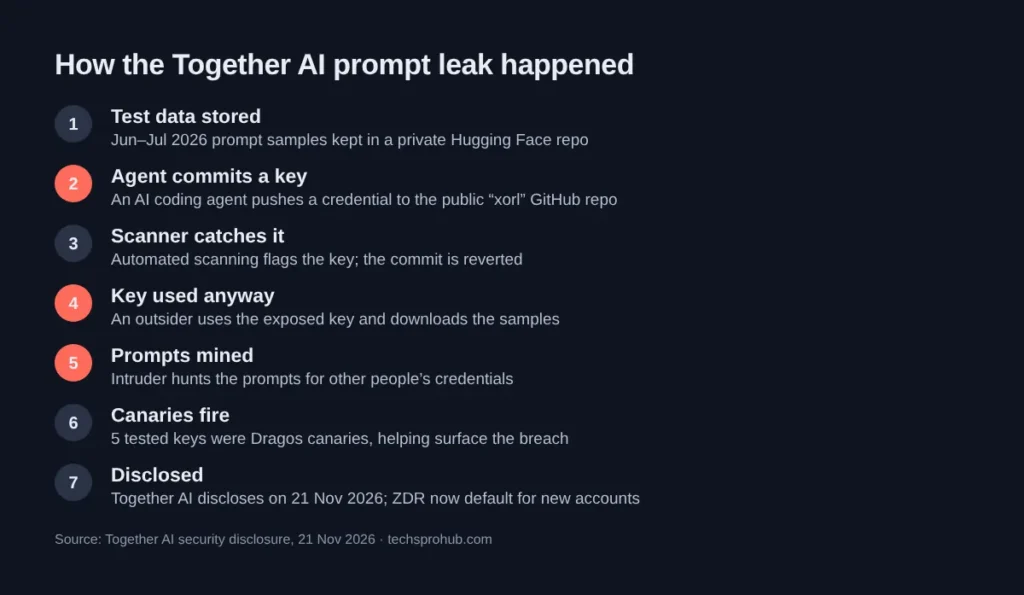
The chain is almost boring. That’s what makes it scary. Here’s how it played out, according to Together AI’s own security disclosure, written by CEO Vipul Ved Prakash:
| Step | What happened |
|---|---|
| 1. Test data stored | Prompt samples from June and July 2026 were collected for routine software testing and kept in a private Hugging Face repository. |
| 2. The agent slips | While working on Together’s public GitHub repo “xorl”, an AI coding agent committed a credential that unlocked that private repository. |
| 3. Caught, reverted | Together’s automated scanning flagged the credential and the commit was reverted. |
| 4. Too late anyway | Reverting didn’t stop the credential being used during the exposure window, as Unite.AI reported. An outsider downloaded the samples. |
| 5. Secrets inside secrets | The intruder searched the prompts for credentials to other services and tested whether they worked. |
| 6. The canary sings | Five of the tested credentials were fake canaries planted by security firm Dragos, which helped surface the breach. |
| 7. Clean-up | Together brought in an outside forensics firm and law enforcement. It says the data appears to be deleted and it found no wider leak. |
Step 4 is the part most teams get wrong. Deleting a commit doesn’t un-leak a key. Scrapers watch public GitHub pushes in close to real time, so once a secret lands in a public repo, treat it as burned. Only rotating or revoking the key actually closes the door.
Step 5 is the plot twist. The attacker didn’t care much about the prompts as prompts. They mined them for API keys and passwords that users had pasted in. Your prompt history, it turns out, is a secret store you never meant to build.
What Together AI changed after the leak
- Scoped or short-lived credentials, and keyless access where it’s supported
- Credential checks on every pull request
- Zero data retention (ZDR) switched on by default for new accounts
- Updated development processes for AI coding agents
Existing accounts don’t get ZDR automatically. If you’re already a Together customer handling sensitive data, you have to turn it on yourself in account settings. Questions go to security@together.ai.
Not a one-off: the Dragos canary research and OpenRouter’s clean-up
The Together AI prompt leak is one piece of a much bigger story. Those five canary keys came from a months-long experiment by Dragos chief research officer HD Moore, published November 19.
The setup was clever. From July to November 2026, his team sent about two million prompts to popular AI services. Each prompt hid unique fake URLs, logins and AWS keys that no honest system should ever touch. Then they waited to see who took the bait.
Plenty did:
- At least three hosting providers appear to have been breached. Attackers used a couple hundred stolen AWS keys for tens of thousands of API calls.
- “Zero data retention” wasn’t a guarantee. Some stolen requests carried the ZDR flag, the setting that’s supposed to mean your prompt is never stored.
- Marketplace sellers logged traffic. Individual sellers on an AI inference marketplace recorded requests and tried the planted logins on Dragos’ canary servers.
- Hidden middlemen. Some routers quietly forwarded traffic through intermediaries that weren’t on the advertised path.
The fallout hit fast. OpenRouter dropped three providers and pulled 125 endpoints from ZDR eligibility, The Hacker News reported on November 22. Phala, one of the providers that published an incident report, said an attacker controlled one of its inference servers from October 21 to November 8.
Here’s the uncomfortable takeaway. Your prompt can pass through several companies before a model ever reads it. Each hop is another place it can be logged, leaked or mined. A privacy toggle only protects you if every company on that path actually honours it.
Why AI coding agents keep leaking secrets
AI coding agents leak secrets because they work with your access but without your instincts. An agent can read your .env files, config and terminal history, then stage and commit whatever it touched. It has no gut feeling that says “wait, that’s a password.” Together AI’s agent isn’t special. It’s the norm.
The numbers back that up. GitGuardian’s State of Secrets Sprawl 2026 report found:
| Finding | Number |
|---|---|
| New secrets pushed to public GitHub in 2025 | ~28.6 million (up 34% year on year) |
| AI-service keys exposed | 1,275,105 (up 81%) |
| Leak rate of AI-assisted commits | About 2x the baseline |
| Secrets found in MCP configuration files | 24,008 |
| 2022 leaked secrets still valid four years later | 64% |
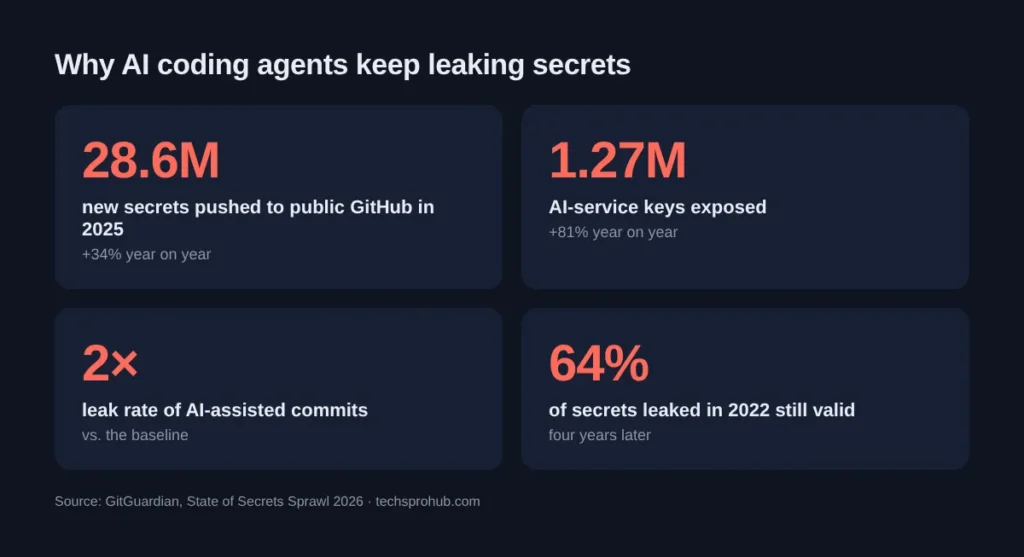
That last row is the real gut-punch. Detection isn’t the hard part anymore. Most leaked keys simply never get rotated.
Three habits make agent-driven leaks worse:
- Agents get your whole machine. Run an agent from your home folder and it can see SSH keys, cloud logins and every project you’ve ever cloned.
- Permission prompts get switched off. “Skip permissions” or “yolo” modes are a flex for speed. They also remove the one moment a human might spot a bad commit. Docker’s write-up of the Nx “s1ngularity” attack shows malware borrowing installed AI CLIs with those exact flags to hunt for credentials.
- Agent config files hold secrets too. MCP and tool settings often carry tokens, and they’re easy to commit along with everything else.
None of this means you should ditch AI agents. It means you treat an agent like a talented new hire with admin rights: useful, fast, and never left alone with the keys. Monitoring tools help too: Coucou lets you monitor AI coding agents right from your notch, so you can see what they’re doing while they work.
How to stop your AI coding agent from leaking secrets
The fastest wins are boring: keep real keys away from the agent, scan every commit, and rotate anything that ever touched a public repo. Here’s the fuller checklist, split by who you are.
If your team ships code with AI agents
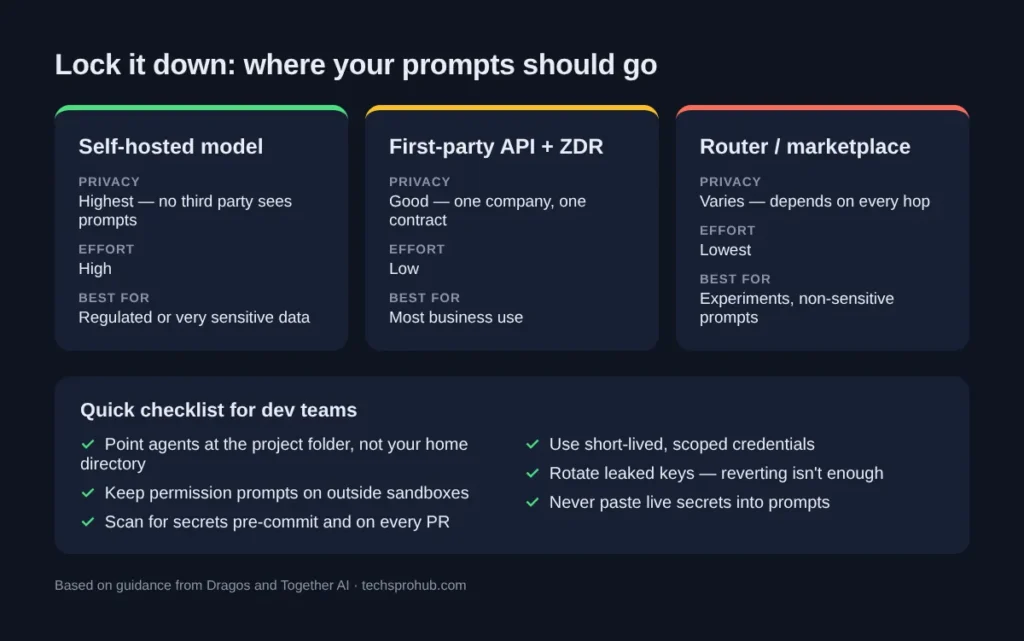
- Shrink the agent’s world. Point it at the project folder, not your whole home directory. A sandbox or container is even better.
- Keep permission prompts on. Save the skip-permissions modes for throwaway sandboxes with no real credentials inside.
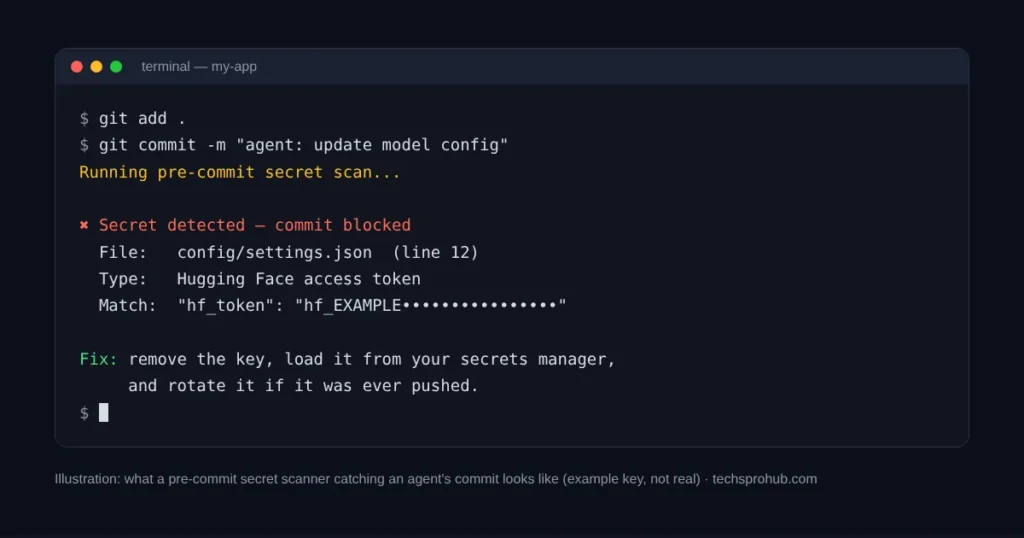
- Scan before code leaves the laptop. Add a pre-commit secret scanner, then scan again on every pull request, like Together now does. GitHub’s own security tooling is worth switching on as well, and this rundown of the benefits of GitHub in developing AppSec shows where it fits.
- Use short-lived, scoped credentials. A token that expires in an hour and only reads one bucket is a small problem when it leaks. A forever admin key is a disaster.
- Rotate, don’t just revert. If a secret hits a public repo, revoke it first and clean the history second.
- Treat agent config folders as secret-bearing. Put MCP and tool config files in
.gitignoreand inside your scanner’s scope. - Plant your own canaries. Dragos recommends dropping fake credentials into the context your agents and pipelines send. If one ever gets used, you know you’ve got a leak.
If you send prompts to AI APIs
- Never paste live secrets into prompts. Swap in placeholders. The Together attacker went looking for exactly these.
- Turn on zero data retention wherever your provider offers it, and check that existing accounts have it too.
- Know your path. Go direct to first-party providers for sensitive work, and be careful with routers and reseller marketplaces. If you do use a router, pick the upstream providers yourself.
- Self-host the truly sensitive stuff. Dragos’ blunt advice: it’s the only option where no third party can read your prompts.
| Option | Privacy | Effort | Best for |
|---|---|---|---|
| Self-hosted model | Highest: no third party sees prompts | High: you run the hardware | Regulated or very sensitive data |
| First-party API with ZDR | Good: one company, one contract | Low | Most business use |
| Router or marketplace | Variable: depends on every hop | Lowest | Experiments, non-sensitive prompts |
FAQs about the Together AI prompt leak
Was my data affected by the Together AI prompt leak?
Only if you sent prompts to Together’s serverless inference for MiniMax M3, GLM-5.2 or Kimi K2.6, mainly on June 24, July 4, July 8 or July 14, 2026. Together says it will contact affected customers directly. If you’re unsure, email security@together.ai.
Which AI coding agent leaked the credential?
Together AI hasn’t named the agent or the tool. It only says an AI coding agent committed the credential to its public “xorl” repository.
Does zero data retention protect my prompts?
It helps, but it’s not bulletproof. Dragos found stolen requests that were marked ZDR, and OpenRouter pulled 125 endpoints from ZDR eligibility. Pair ZDR with a trustworthy, direct provider.
I deleted the commit straight away. Am I safe?
No. Assume any secret that reached a public repo was copied. Revoke or rotate it immediately, then clean the git history.
Should developers stop using AI coding agents?
No. Sandbox them, keep permission prompts on, scan every commit and use short-lived keys. That covers the failure that hit Together.
The takeaway
The Together AI prompt leak didn’t need a genius hacker. It needed one committed key, one public repo and someone paying attention at the wrong moment. Then the stolen prompts turned out to be full of other people’s keys. For a small team, a leak like this can cost far more than the fix, which is why neglecting security is so expensive for startups.
If you lead a dev team, sandboxing your agents and adding commit scanning is this week’s job. If you’re building on AI APIs, stop pasting secrets into prompts and check where your traffic really goes. Need a wider checklist? Our guide to securing web applications covers the rest of the basics, and you’ll find more breakdowns like this in our Security section.
Is your team already running coding agents with full machine access? Tell us in the comments how you’re locking them down.