

Summarize this article with
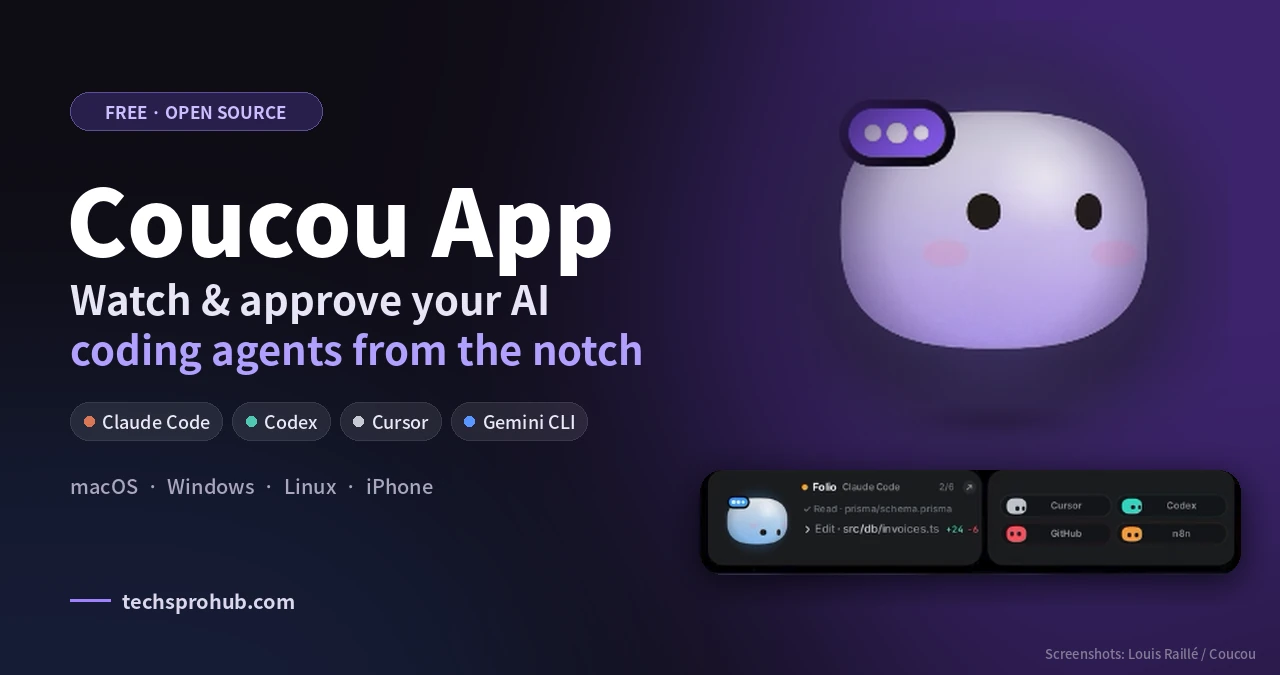
The Coucou app is a free, open-source companion that sits in your Mac’s notch (or along the top edge of the screen on Windows and Linux) and shows what your AI coding agents are doing in real time. Claude Code, Codex, Cursor, Gemini CLI and more all show up through one tiny character called Mochi. I went through its documentation, changelog, privacy policy and release notes. Here’s what it does, where it saves time, and what to watch for.
TL;DR: Coucou is free, private and genuinely useful if you run your AI coding agents daily. You watch all your sessions from the notch and can approve requests for supported agents without leaving the window.
Table of Contents
What the Coucou App Actually Does
Coucou turns your agent sessions into a live status pill at the top of your screen. You know the file any agent is viewing or editing, the command it’s executing, and when you’re needed. For supported agents, permission prompts will also appear here so you can approve or deny without scrolling to find the correct terminal window.
The official GitHub repository states that Claude Code requests include Allow, Deny, and Always buttons. Codex, Copilot CLI, and Muse Code have Allow and Deny options. Other agents are currently limited to watch-only mode. You can respond to Claude’s questions from the notch and view live diffs that display lines added and removed.
Once an agent is done, Mochi does a happy little hop. It’s a tiny thing, but it means you don’t have to run over to the terminal every few minutes to check on your jobs.
Which Tools and Platforms It Supports
| Area | What’s covered |
| Coding agents | Claude Code, Codex, Cursor, Gemini CLI, Antigravity, Copilot CLI, OpenCode, Amp, Hermes |
| Desktop | macOS 15+, Windows 10/11, Linux (AppImage, .deb, .rpm) |
| Phones | iPhone (Lock Screen, Dynamic Island, Face ID on every Allow) and Android 11+ (paired with Coucou 0.4.0+ on Windows or Linux) |
| Chat | Claude, Gemini, OpenAI with your own keys, or local models via Ollama and LM Studio |
| Service pills | GitHub PRs and CI, Stripe, Vercel, n8n, Notion, Resend, Cal.com |
How Coucou Works Under the Hood
Coucou doesn’t scrape your screen or read your terminal. Each agent fires hook events, and a tiny helper script forwards them to the app over a local connection: a Unix socket on macOS, a named pipe on Windows. For approvals, the hook waits for your tap, then hands the answer back to the agent.
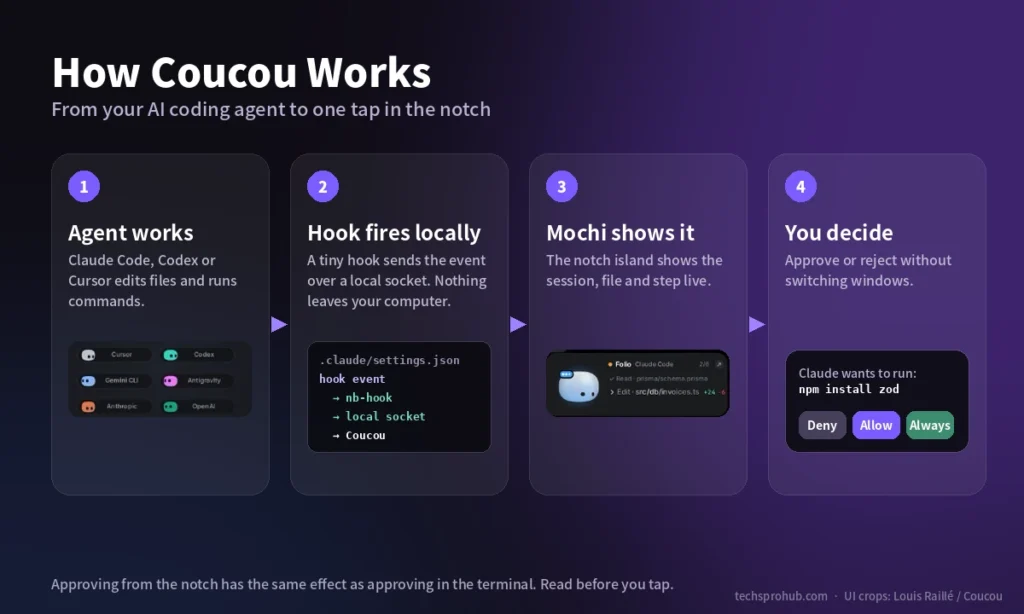
The Mac version is native Swift and SwiftUI with zero third-party dependencies, while Windows and Linux run on Tauri. Even Mochi is drawn entirely in code, with no animation files or images. The creator’s launch carousel walked through Mochi’s state machine, and I noticed it maps roughly 30 moods and outfits to agent states such as thinking, rate-limited, error, and finished. So Mochi’s face tells you the agent’s state before you read a word.
Where Coucou Actually Saves Time
Imagine this. You instruct Claude to troubleshoot a bug across five files, then you open Figma. Coucou shows you Claude editing your app.js, running your tests, then requesting to install a package. Hit Allow or Deny from the notch, and you’re right back to your design.
The real advantage is having fewer context switches. Agents pause as soon as they need approval, and typically, you realise this about ten minutes later.
The iPhone sibling takes it even further. You lock your Mac, make a coffee, and Mochi is on your Lock Screen, needing Face ID before anything happens.
What I Found in Coucou’s Privacy Policy and Terms
I discovered the privacy configuration is better than many other indie apps. The Coucou privacy policy states there’s no account, no analytics, and no telemetry. Agent events stay on your local computer via a local connection and don’t go out through Coucou. API keys are stored in macOS Keychain, Windows Credential Manager, or Linux Secret Service.
The setup is careful too. Coucou works through Claude Code hooks, backs up your settings file and gives you the diff before it writes anything. If Coucou isn’t running, the hook exits immediately, so Claude Code is never blocked.
Here’s the part that’s worth pointing out. As the Coucou terms of use note, tapping Allow from the notch is the same thing as allowing from your terminal. An Allow button that’s faster doesn’t mean the command is any less dangerous. Read the request before you allow.
Where Coucou Falls Short
No tool is without its disadvantages. The Mac-exclusive features include Gemini, OpenAI, and local-model chat.
| Limitation | Why it matters |
| Unsigned Windows installer | SmartScreen warns on first launch; you’ll click “More info, Run anyway” |
| Mac-only extras | Multi-provider chat, terminal jumping and some pills skip Windows and Linux |
| Uneven approval support | Only some agents get Allow/Deny in the notch; the rest are watch-only |
| Fast release cycle | Mac 0.3.0 landed Oct 10 and Android 0.2.0 on Oct 13, 2026, barely two weeks after launch, so expect rough edges |
| Bring your own keys | Chat costs come from your Anthropic, Google or OpenAI bill, not Coucou |
That rapid development has pros and cons. The creator’s Instagram carousel from October 4 displayed version 0.1.4, but by October 10 the Coucou website had reached version 0.3.0 and introduced an “OK Coucou” voice mode. Progress is impressive, but review the changelog before updating during a project.
Coucou vs Other Notch Tools for AI Agents
Two open-source alternatives also live in the notch:
| Tool | Platforms | Best at |
| Coucou | macOS, Windows, Linux, iPhone, Android | Watching and approving many agents in one place |
| CodeIsland | macOS | Managing several Claude Code sessions and jumping to the right terminal |
| CodexIsland | macOS | Tracking Claude and Codex usage limits, not session activity |
CodexIsland answers “how much quota is left?” CodeIsland suits Mac users who live in Claude Code. Coucou casts the widest net: more agents, more operating systems, plus your phone. If you’re on Windows or Linux, Coucou is the broadest option of the three, since it supports both natively.
How to Get Coucou Running
- Download the Mac, Windows or Linux build from the Coucou releases page.
- Open Settings, either from the menu bar or from the system tray.
- Attach hooks to all agents in use (Claude Code, Codex, Gemini CLI).
- Select your active pills and enter API keys only for the services you wish to use.
Alternatively, you can compile from source. The code is licensed under MIT, but the Coucou name, Mochi and sounds belong to Louis Raillé.
FAQs
Is the Coucou app free?
Yes. Open source MIT license. You will only pay for the AI API usage you connect.
Does Coucou work without a notch?
Yes. If you’re using Windows, Linux, or a notch-free Mac, the Mochi window will open from the top of the screen.
Is there an Android version?
Yes, it runs Android 11 and above and connects to Coucou 0.4.0+ on Windows or Linux over the same Wi-Fi (not to a Mac). To grant a request, you will require your fingerprint/screen lock.
My Take: Who Should Install Coucou
If you’re running Claude Code or dealing with a bunch of agents every day, the Coucou app is an easy win. It’s free, privacy-first by default, and eliminates the need for constant tab-switching.
Who should skip it: Those who rarely run agents, teams that only allow IT-approved software (for now, the Windows installer isn’t code-signed) and people who want to click Allow – without reading. It’s about speed, not autopilot.
Running agents already? Which one are you going to send to Mochi first?
Related: