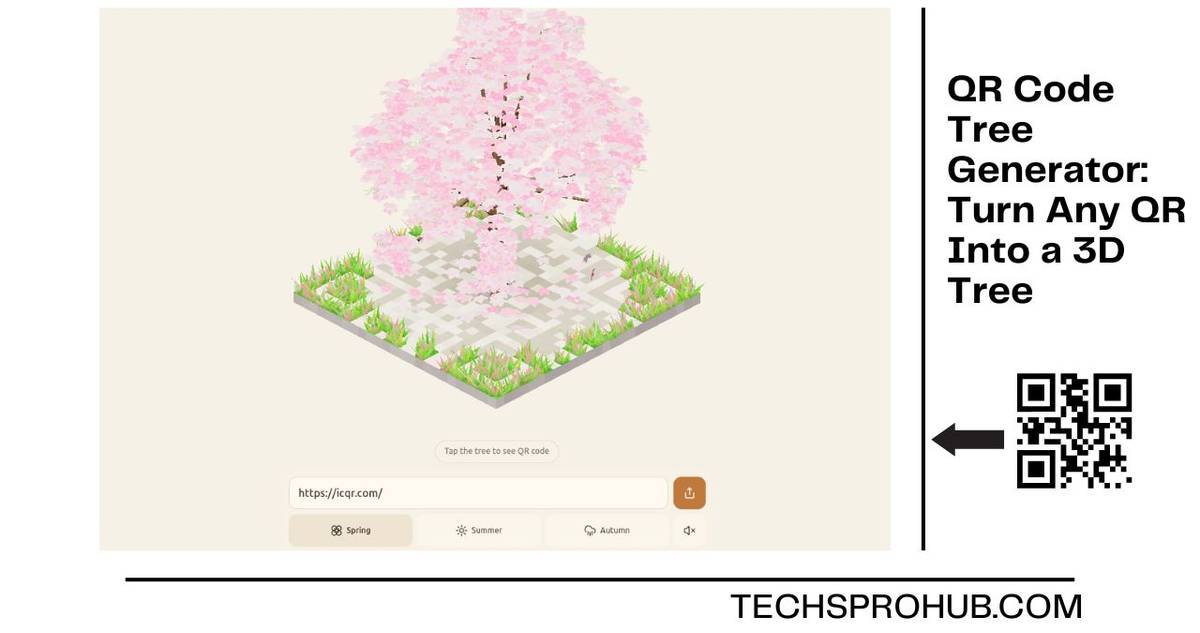


A QR code tree generator is a way to take the dullest box in the world and grow a lively 3D tree out of it, while the code underneath still scans. The one most people seem to be talking about is ICQR Magic Tree, a free-to-use browser generator with solid design. I tried it out to see what’s actually worthwhile and what’s just pretty. In short, it’s a serious scroll-stopper on screen, but it can’t replace your menu code.
Table of Contents
What Is a QR Code Tree Generator?
A QR code tree generator converts a URL into a 3D tree that grows out of the QR code itself. The matrix of the code is just the floor; the blocks spew off into grass; and up from the centre of the code, the tree appears. Tap the tree to turn the scene into a flat (but still legible) barcode. Picture a barcode tree.
How ICQR Magic Tree Works
Drop a link, and the application then builds a scene using the information from within the QR code contained in the link. Branches grow procedurally, and flowers appear at the tips. Petals then drift down around the tree. The tree is generated from your URL, so each link generates a different tree.
Two things I noticed – no sign-up or paywall; everything is being rendered in your browser over WebGPU. I read that the link never leaves your device, which is a nice privacy flex for a free tool.
Why the QR Code Still Scans
QR codes have backup data embedded in them. Depending on the error correction level, a scratched or partly covered code can still be read, as Denso Wave’s guide to QR code error correction levels explains: about 7% at level L, up to about 30% at level H. That’s the math behind why decorative QR codes work.
Here’s what a lot of people don’t realise: You’re not actually scanning the tree. You tap it, it snaps flat into a code, and the camera reads that. The 3D scene is the hook; the flat QR does the real work.
How I Created a 3D QR Tree in Under a Minute
- Open tree.icqr.com in Chrome, Safari, or Edge.
- Paste your URL (portfolio, Linktree, event page, whatever).
- Choose your season, then a colour palette.
- Tap the tree to reveal the flat QR code.
- Copy the share link or download the code image.
My advice: scan the downloaded image with both an iPhone and an Android camera before sharing it. Ten seconds now beats an awkward “link broken” text later.
Spring vs Summer vs Autumn: Which Theme Fits?
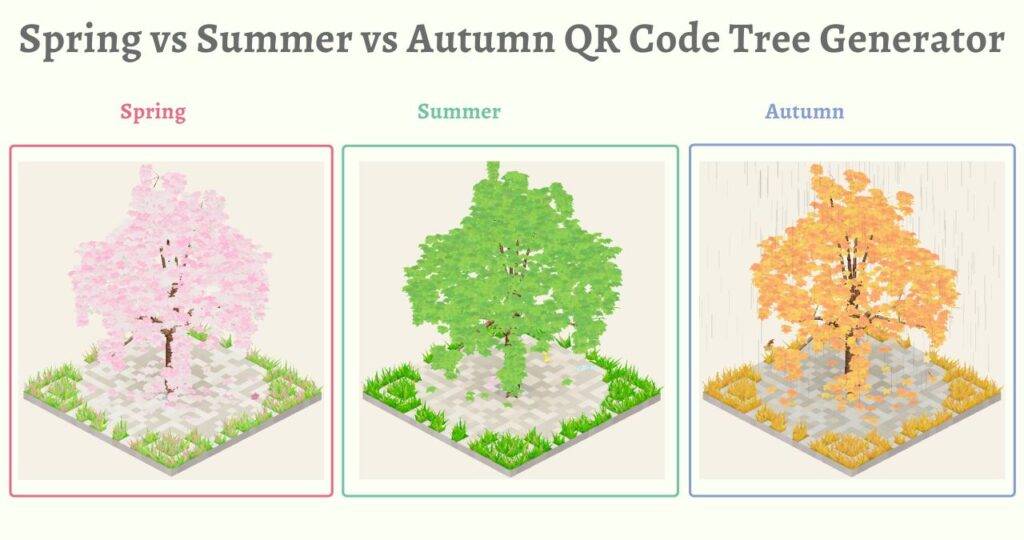
| Spring | Summer | Autumn | |
|---|---|---|---|
| What you see | Pink blossoms with petals drifting down | A thick green canopy | Warm golden leaves |
| Works best for | Wedding invites, product launches, beauty brands | Outdoor events, eco and wellness brands | Festive campaigns, cosy cafés, end-of-year offers |
Each season has its own ambient sound, and a palette picker turns the whole scene into lavender, coral, gold, sky blue, or snow white.
My Take: Where a Tree QR Actually Works
In my experience, the tree earns its keep anywhere people see it on a screen first:
- Portfolio or link-in-bio pages where the designer’s QR should appear designed.
- Digital event invites that need a bit of theatre before anyone commits to an RSVP
- Social launch posts, because a growing tree stops the thumb better than a black square
Where it doesn’t belong: printed menus, payment codes, packaging and leaflets. These require a super high-contrast quick-scan code and at best only make use of the flat QR anyway.
Trust matters too. The FTC warning about QR code scams has made people wary of unfamiliar codes, and I noticed an odd-looking QR gets more hesitation. So place your domain name right beside the code so people know where it will take them.
ICQR Magic Tree vs. a Regular QR Code Generator
| Tool | What it looks like | Price | Account needed | Scan tracking | Change the link later | Works best for |
|---|---|---|---|---|---|---|
| ICQR Magic Tree | A 3D tree you can tap | Free | No | None that I found | No, the tree is tied to your URL | Screens and social posts |
| Standard QR generator | A flat square, sometimes with a logo | Free, with paid upgrades | Often, for extra features | Usually on dynamic codes | Yes, with dynamic codes | Print, payments and packaging |
Limitations Worth Knowing
- Supported browsers: WebGPU-based, so old handsets and browsers will likely fail to load or outright botch.
- Static only: no scan counts, and new URL = new tree.
- Paid art is on pause: the ICQR artistic QR shop sells pre-made art codes with editable links and scan statistics, but it currently shows a “back soon” message, so it isn’t taking new orders.
FAQs
Is it possible to print off this 3D tree?
Not the 3D version. Print the downloaded flat QR code, and share the tree link online.
Can my phone scan the flat code?
It’s a standard QR code, so the native camera apps on iPhone and Android should read it. Test it before publishing.
Is ICQR Magic Tree totally free?
Yes. There’s no sign-up, login or paywall on the generator itself.
Is a tree QR code safe to scan?
It’s safe if the link inside is – don’t open a code unless the source is known to you, and preview the URL before opening.
Final Thoughts
A QR code tree generator will not boost your conversion rate, but it does give a boring link some life. Use ICQR Magic Tree for portfolios, invitations and social media, and just go for a boring code on payment and print items. Tried it? Drop your favourite season in the comments.