

Summarize this article with
You know that feeling when your students’ eyes glaze over during another slideshow? Yeah, I hit that wall hard in my fifth year teaching. My go-to worksheets weren’t cutting it anymore. Then a colleague showed me Deck.Toys during lunch break, and it changed everything. Seriously, this thing turned my boring cell biology unit into a digital treasure hunt that had kids racing to class.
This platform lets you build learning adventures that kids actually want to join. We’re talking escape rooms, treasure hunts, choose-your-own-adventure paths – the works. And here’s the kicker: even my back-row sleepers started sitting up straight. If you’ve been exploring gamified learning platforms but haven’t found the right fit, this might be your answer.
Let me break down how I got started and share some classroom magic moments that’ll make you want to dive in too.
Table of Contents
What Makes Deck.Toys Different?
Listen, we’ve all downloaded a dozen edtech tools that promised the moon and delivered squat. Deck.Toys is different, and I say that as someone who once called IT support to help me attach a document to an email.
Three things made me a convert:
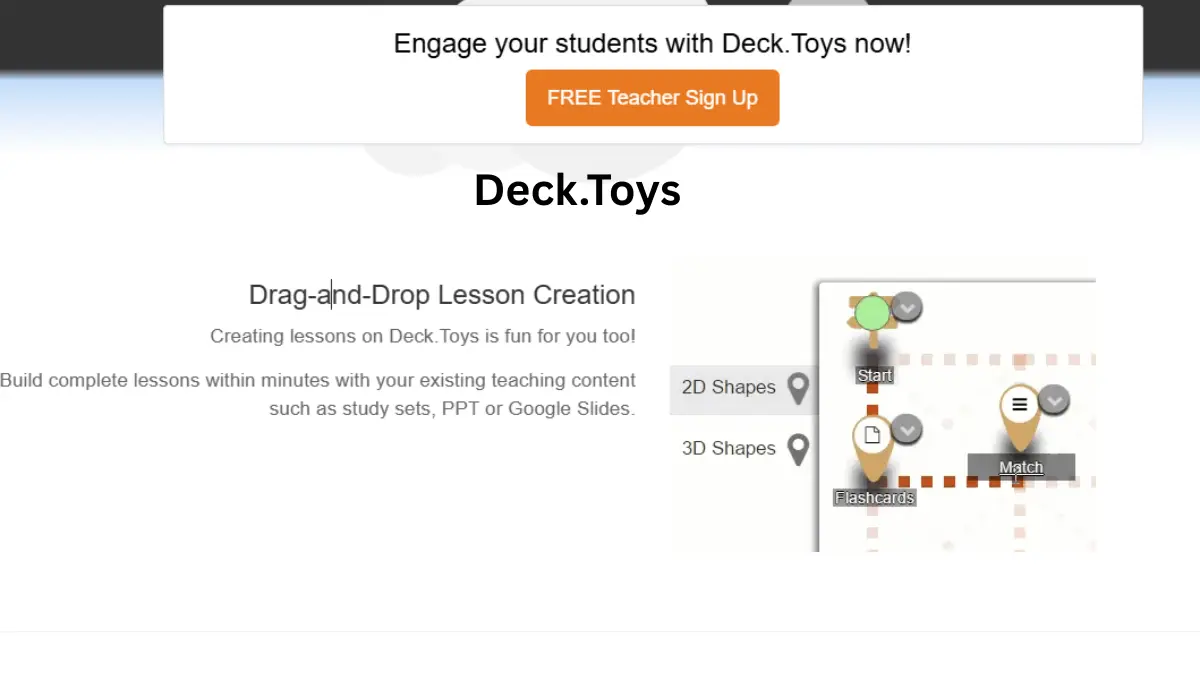
- The drag-and-drop builder is dead simple – I figured it out during one prep period
- My students actually talk now – even Marcus, who spent most of last semester trying to nap with his eyes open
- I can see exactly who’s stuck in real-time, so no more “did everyone get that?” to a room of blank stares
Instead of boring slides, Deck.Toys gives students this game-like map where they move through connected challenges. Kids light up when they see that progress bar fill – same dopamine hit they get from their video games. While Kahoot is great for quick quizzes and Quizizz works well for assessments, Deck.Toys offers something different: a complete adventure learning experience.
The flexibility is clutch. Some days I run the whole class together in “Teacher Sync” mode. Rough mornings? I switch to “Free Mode” and let everyone work at their own pace. Meanwhile, I’m watching those progress markers like a hawk, swooping in right when someone hits a wall.
Even my technophobe colleague Jenny (who still prints her emails) turned her dusty grammar worksheets into digital treasure hunts in under an hour. No wonder half our department stole her ideas.
Getting Started:
The secret sauce of Deck.Toys is the path system. Picture red dotted lines connecting all your activities on a map. Without these paths, you’ve just got random stuff. With them, you’ve got a story – a journey that pulls kids through your lesson.
My first path was embarrassingly basic, but the kids still ate it up:
- I threw together a welcome sign – just a quick “Here’s what we’re doing today, gang” with a gif from The Office
- Added some no-brainer starter activities – easy wins to get everyone feeling smart
- Snuck in the tougher stuff mid-way – by then they were too invested to bail
- Finished with a juicy challenge – my “boss battle” that tested everything they’d learned
The cool thing is the paths flash green when you connect them right. Sounds small, but that visual confirmation saved me from looking like an idiot when my first lesson went live.
Quick tip from someone who learned the hard way: start with just one entry point. I tried getting fancy with multiple starting positions, and half my students wandered around like lost tourists. Keep it simple until you know what you’re doing.
Escape Rooms: Where Learning Meets Adventure
Wanna see teenagers actually beg for more homework? Make them an escape room. No joke – I had kids staying after the bell trying to crack my digital breakouts. These things are gold.
The nuts and bolts of a Deck.Toys escape room are pretty straightforward:
- Digital locks that block progress until kids prove they know their stuff
- Different lock flavors for different subjects (text, numbers, voice recognition, directional patterns, QR codes)
- Sneaky clues hidden in images that only appear when clicked
- Treasure keys that make kids feel like they’ve won something valuable
I’ve tested all the lock types with my 10th graders. Here’s what worked best:
| Lock Type | Best For | Student Reaction |
|---|---|---|
| Text | Vocabulary checks | “Meh, it’s fine” |
| Number | Math problems | “Better than worksheets” |
| Voice | Language practice | “Miss, can I try again?” |
| Directional | Pattern recognition | “This is actually kinda fun” |
| QR Code | Physical movement | “We’re allowed to get up?!” |
My personal cheat code? Hiding clues in videos. I dropped hints in a lab safety video that they had to spot to unlock the next activity. Kids who normally check out during videos suddenly watched like hawks. For my final challenges, I cook up “boss fights” that test everything at once – the classroom practically hums with focus.
Too busy for all this? Fair. Hit up the Deck Gallery for pre-made escape rooms across subjects. I snagged a chemistry one that saved my bacon during flu season.
Branching Paths: Personalized Learning in Action
Here’s where I finally stopped feeling guilty about not reaching every kid. Branching paths let me cook up different routes for different brains – while they all end up learning the same stuff.
In my biology unit on cells:
- Visual kids got a path loaded with microscope images and animations
- My readers dove into articles and primary sources
- Hands-on learners played with interactive models and simulations
The secret? All these different paths smash back together at key checkpoints. I set special locks so they need to finish their specialized activities before tackling the big assessment. Suddenly everyone’s prepped for the test, but they got there their own way.
In Free Mode, I let them choose which path looks most interesting. You should see these kids’ faces when they realize they get to pick. Some of them have never been given choices in school before. Ownership is a hell of a motivator – my completion rates shot through the roof.
Case Study: Kim’s Rock-Solid Turnaround
My colleague Kim was ready to quit teaching over her rocks and minerals unit. “It’s like watching paint dry,” she told me over bad teacher lounge coffee. “But the paint is beige, and it’s watching itself dry.”
She rebuilt the whole thing in Deck.Toys over winter break. By spring, her principal was sitting in to see why kids were fighting to get into “the rock class.”
She cooked up:
- A digital dig site where kids “excavated” by solving chemistry puzzles to unlock rock samples
- Two paths – “How Rocks Form” for the science geeks and “Rocks That Make You Rich” for the future business majors
- Videos where hidden mineral ID clues appeared at random timestamps
- A final mystery box with unmarked samples they had to classify using everything they’d learned
Kim’s exact words: “Remember Jacob who slept through all of last year? He stayed in at lunch to finish the challenge. And my class average jumped from a C to a B+.”
Case Study: How Rodriguez Got His Whole School Onboard
Let’s talk about Rodriguez, the principal who managed to get a school full of change-resistant teachers to try something new. Miracle worker? Nah, just crafty.
When he announced Deck.Toys at a staff meeting, eyes rolled so hard you could hear them. “Not another tech platform,” someone actually groaned. So he switched tactics:
- He recruited five tech-comfortable teachers (including yours truly) to build templates others could steal
- Turned it into a competition – department with the most decks got priority scheduling next year
- Had early adopters do quick show-and-tells at meetings, focusing on student reactions
Six months later, even the “I-still-use-an-overhead-projector” crowd had built at least one deck. But the real surprises were:
- Math and science teachers teaming up on lessons (unheard of before this)
- Students asking to create their own decks to teach topics to younger grades
- Parents swarming our open house when we turned it into an escape room night
Hard-Won Tips From My Deck.Toys Blunders
After bombing a few times in front of 30 judgy teenagers, I’ve learned some things:
- Keep it class-sized – My first deck was a sprawling monster no one finished. Now I build for 45-60 minutes tops.
- Start stupid simple – My elaborate branching masterpiece confused everyone. Start with a straight line from A to B.
- Sprinkle in victory moments – Kids need those little wins. I drop in treasure keys and completion badges like candy.
- Copy video game pacing – Easy opening levels, gradual ramp-up, big juicy challenge at the end.
- Watch the board like a hawk – Those green checkmarks tell you who’s cruising and who’s drowning. No more “any questions?” to silent stares.
Watching their little icons move across the map does something to students. They can literally see how far they’ve come. I’ve had chronic procrastinators suddenly managing their time because they could visualize their progress. That’s the kind of life skill that transcends my Biology class.
Why I’m Not Going Back
Look, I was skeptical too. Another edu-platform promising the moon? Please. But this one actually delivered.
My students switched from clock-watching zombies to active explorers practically overnight. Test scores jumped, sure, but more importantly, kids started connecting concepts instead of memorizing facts. Some even admitted they thought about our activities outside of class. Willingly.
For us teachers, it’s surprisingly painless to use. No PhD in computer science required. And you can start small – convert one lesson, see what happens, then build from there.
Conclusion:
Teaching is hard enough. If something makes my job easier AND my students more engaged, I’m all in. Try one deck. Your future self will thank you when students rush in asking, “Are we doing Deck.Toys today?”
Got a Deck.Toys win to brag about? Drop it in the comments. I’m always stealing good ideas!