Summarize this article with
Do you want to save AOL email as PDF format? Or are you looking for solutions to convert AOL email into PDF? If yes, then read this blog carefully. Here, I am going to discuss different tactics through which users can forward their AOL to PDF without any hassle.
AOL mail is a free-of-cost email service provider that was first started in the year 1993. This email service provides both desktop and webmail opportunities to its users. It uses PCF format to save data from your mailbox. AOL mail offers unrestricted data and 25 MB of attachment storage capacity to its users. Although it is a popular email client but sometimes users want to transfer AOL emails into PDF format. This is probably because users want to access their AOL mails without any internet connectivity. Hence, to view their files in an offline mode they need to convert the emails into PDF.
How to Convert AOL Email into PDF Format?
There are mainly two sets of methods to convert the format of AOL mail into PDF. The first method is a manual method and the second technique is an automated solution. The manual method consists of certain procedures that a user needs to perform in a proper sequence. On the other hand in an automated method users can take help from a professional tool and complete the conversion task.
Manual Methods to Forward AOL Email into PDF Format
If you want to export your mail from AOL into PDF format through a manual technique then you can refer to the steps that are listed below.
Method 1
- At first, go to your AOL mail account and then login into it.
- Now, select the mail that you want to transfer and hit on the More option.
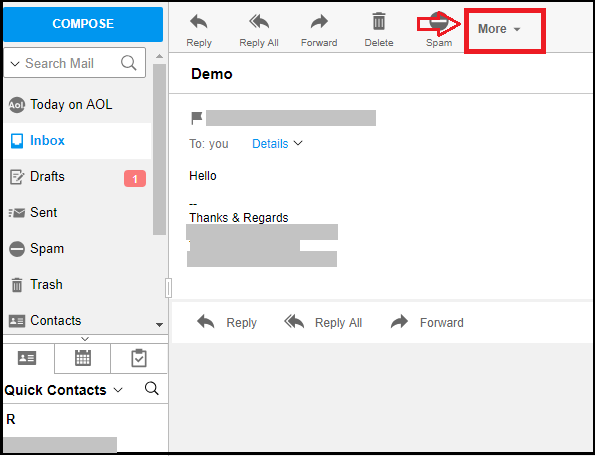
- Now, a list will appear from that select the Print Message option.
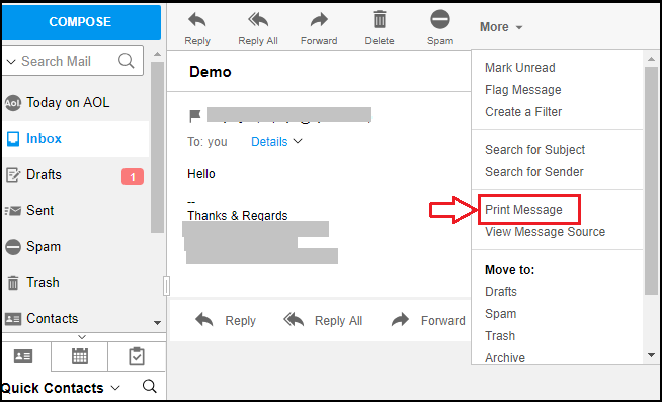
- Now, another box will appear from that select the Change option.
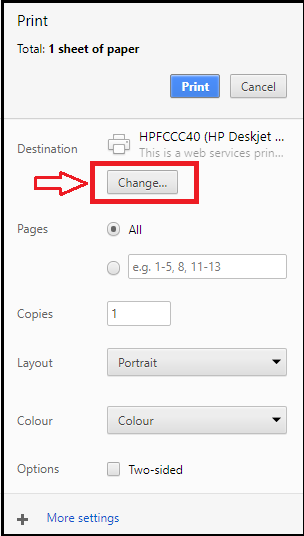
- Here, you have to choose the Save as PDF option and then again hit on Save.
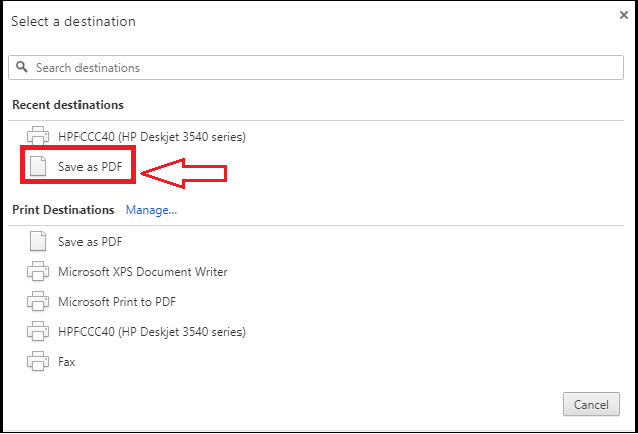
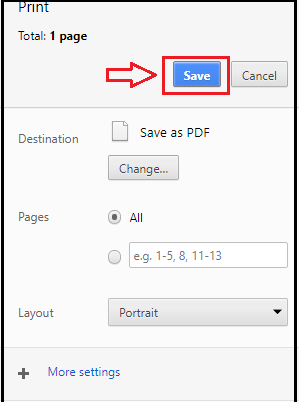
- Now set the destination for the file and then download and save it.
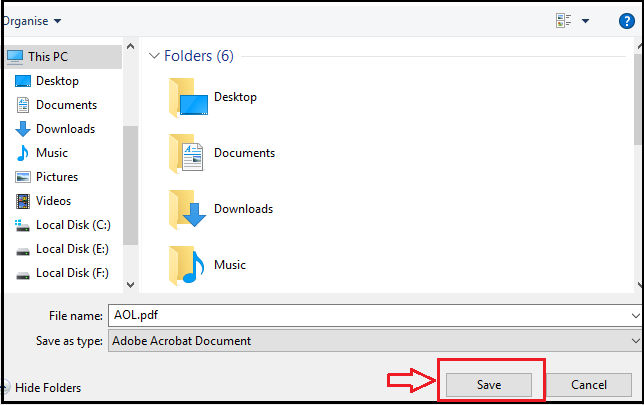
With the above steps, the first manual method comes to an end. If you are not able to perform this method then you can try the second manual methodology.
Method 2
- First, login into your AOL account.

- Go to the mailbox and select the mail that you want to convert and then choose the More option.
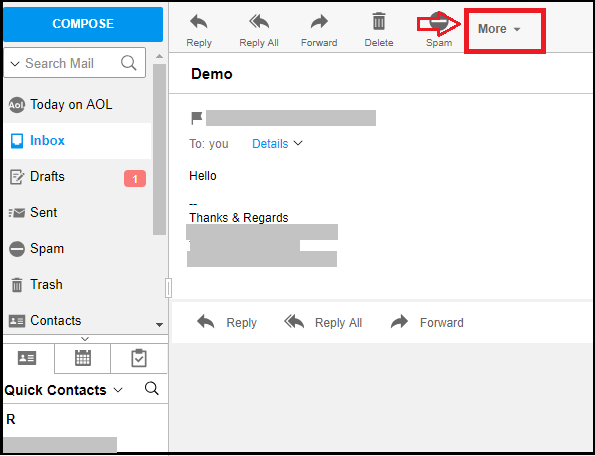
- Now, from the list select the View Message Source option.
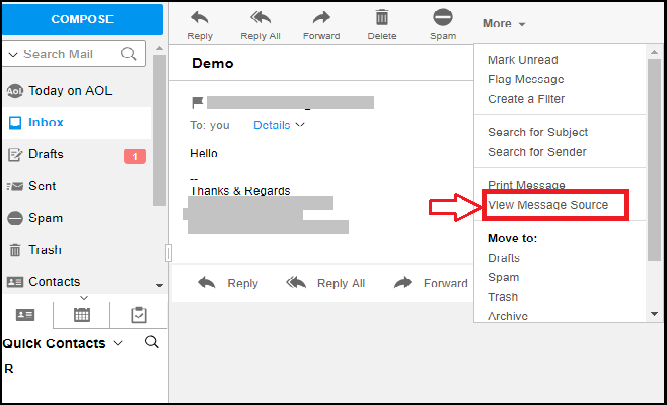
- Now, a new window will appear on the screen and it will be displayed like this.
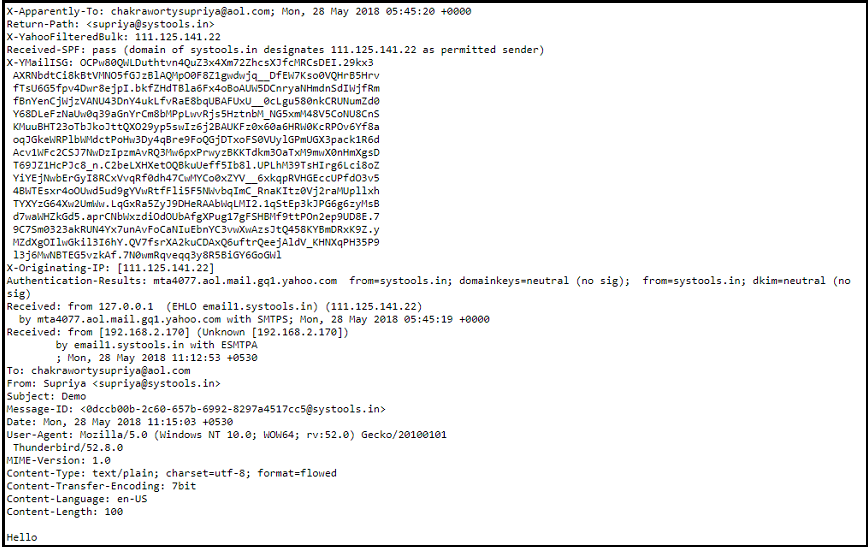
- Here, set the location for your data and click Save.

- At last, open the mail and convert the extension to EML, and then view it. Now, all your selected mails are saved on your desktop. You can access them at any time without any internet connectivity.
Automated Solution to Export AOL Email into PDF
DRS AOL Backup Tool is an excellent solution for forwarding your AOL emails. This is a professional software that performs the task in a very accurate way yet in minimum time. The tool enables users to backup and converts AOL mail into different file formats and email clients. If you want to exclude any attachments from your conversion process then you choose the feature from the software. Moreover, the tool helps users to set an automatic backup schedule and also gives the option to clear up the server space. The application also contributes with a free demo version and round-the-clock support to its users. In a nutshell, this is a power-packed software that is designed with innovative functionalities.
Till now we have learned about both the methods of migrating AOL mail into PDF format. So, let us now have an analysis of both approaches and understand the dissimilarity between the two techniques.
Difference Between the Manual Method and Automated Method
- Mode of Technique – Manual Method is a free technique whereas the automated method is a paid technique.
- Data Risk – There is no risk to your data in the automated approach but in a manual process, data is at high risk.
- Knowledge and skill – Automated system does not require any knowledge or skill and a manual system needs a technically skilled user.
- Duration – The time taken by manual methodology for forwarding the emails is much more as compared to the automated software.
- Accuracy – Automated technique ensures proper accuracy in terms of delivering output while manual method lacks accuracy.
- Bulk transfer – Huge amount of AOL mails can be converted easily by the professional tool instead of repeating the manual process for every single mail.
Conclusion
After reading this guide, we can conclude that users can save AOL email in PDF format either by a manual or automated system. However, the manual process seems to be a complex procedure than the automated backup process. Thus, users are recommended to choose the appropriate method that can help them to accomplish their goal effortlessly.