

Summarize this article with
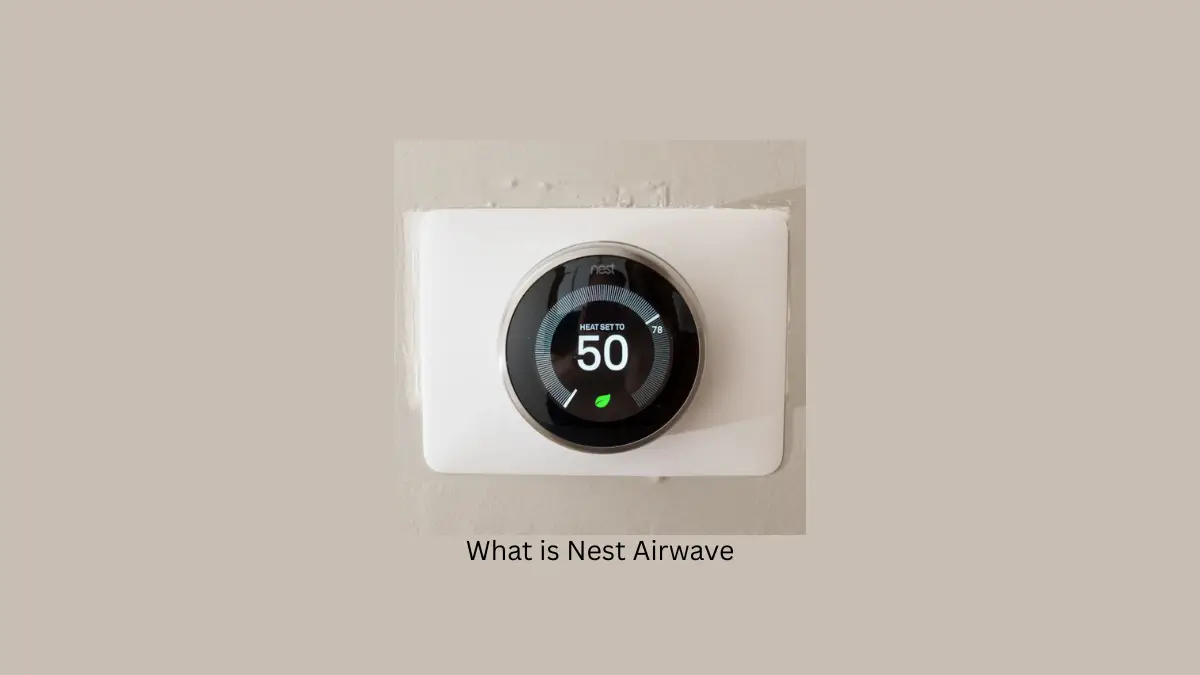
Airwave is a Nest thermostat feature that shuts off your air conditioner’s compressor a few minutes before your home reaches its target temperature, then keeps the fan running to push the leftover cold air off the still-chilled coils. The compressor uses almost all the electricity in an AC system; the fan uses a fraction of it. So you get the last few minutes of cooling for nearly no power — typically a 10–25% cut in cooling energy use.
It is switched on by default on compatible Nest thermostats, and most people never notice it running.
When I installed my first Nest thermostat three summers ago, I had no idea about the secret weapon hiding in its sleek design. After my first electricity bill came in noticeably lower than expected, I dug into the settings and discovered Airwave — a feature that’s been saving me money ever since without breaking a sweat.
What Is Nest Airwave?
Nest Airwave is a smart cooling feature built into Google Nest thermostats that cuts your AC energy use by running the compressor less while maintaining comfort. Think of it as the cooling equivalent of coasting your car downhill with the engine off — you keep moving forward without burning fuel.
The tech works by understanding how conventional AC systems operate. Your air conditioner has two main parts: a power-hungry compressor that chills the air, and a fan that uses minimal electricity to move that cool air through your home.
In my experience, this simple concept makes a noticeable difference in both comfort and costs.
How Nest Airwave Works
After monitoring my system for a few weeks, I noticed how Airwave times its magic perfectly. When my home reaches that sweet spot where the temperature is close to target, Airwave kicks in by:
- Turning off the power-hungry compressor slightly before hitting my target temperature
- Keeping the energy-efficient fan running to circulate the already-cooled air
- Extracting the remaining cooling potential from those cold coils
What impressed me most was how it learned my specific home. My previous smart thermostat used one-size-fits-all presets, but Airwave figured out exactly how my place cools and adjusted its timing accordingly.
The Physics Behind It: Why Airwave Works
If you’re wondering why this actually works and isn’t just a marketing gimmick, it comes down to basic thermodynamics.
Your air conditioner’s compressor cools refrigerant moving through metal coils. Once the compressor shuts off, those coils don’t instantly warm up — they stay cold for several more minutes. Airwave’s whole trick is recognizing that window and putting it to use: instead of shutting off the fan at the same moment as the compressor (like a traditional thermostat does), Airwave keeps the fan running alone, pulling residual cold air off those still-chilled coils and pushing it through your home.
The fan uses a fraction of the electricity the compressor does — that gap is where the savings come from. You’re getting a few extra minutes of real cooling for almost no additional power draw.
What makes this more than a simple timer is that Airwave adapts. Rather than running the fan for a fixed number of minutes after every cycle, it factors in your home’s specific conditions — indoor and outdoor temperature, humidity, and how your system has behaved recently — using roughly 18–22 operational parameters to fine-tune each cycle. That’s the difference between Airwave and a traditional cooling cycle, which is strictly binary: full blast or completely off, with no attempt to harvest that leftover cooling capacity.
When Does Airwave Activate?
Living in Arizona means managing humidity alongside heat. I’ve noticed Airwave activates most often during our drier months when:
- Indoor humidity falls below around 45%
- The AC is in cooling mode
- Conditions are right for energy savings without a comfort penalty
You’ll know it’s working when you see an indicator on your Nest display — I get a blue swirl on my 3rd gen Nest Learning Thermostat, while my friend’s newer model shows three wavy lines.
The Humidity Factor
Humidity makes all the difference with Airwave. During our monsoon season, I noticed the feature activated less frequently — for good reason.
Nest designed Airwave to automatically disable itself when indoor humidity rises above its threshold. This intelligence prevents those sticky, uncomfortable situations that could happen if your AC stopped dehumidifying too early.
Real Energy Savings
Let’s talk actual numbers. After tracking my energy use for a full year with Airwave enabled:
- Summer cooling costs dropped by approximately 12%
- My system’s compressor runs about 40 minutes less per day on average
- Annual savings reached around $210 (your results will vary)
That 12% is a year-round average across all seasons, including shoulder months when the AC barely runs. During peak summer my savings ran closer to 20%. Published figures put the overall range at 10–25% depending on climate.
| Monthly Period | Before Airwave | With Airwave | Savings |
|---|---|---|---|
| Peak Summer | $235 | $205 | $30 |
| Mid Season | $140 | $125 | $15 |
| Minimal AC Use | $85 | $80 | $5 |
How to estimate your own savings: the percentage reduction scales with how much your climate relies on your compressor. Hot, dry climates (Arizona, Nevada-type conditions) see the strongest results, often at the top of that 10–25% range — low humidity means the fan can run longer post-compressor without comfort issues, maximizing the residual-cooling effect. Hot, humid climates still save, typically in the 8–12% range, because humidity monitoring limits how long the fan keeps running before Airwave hands control back to the compressor.
Airwave vs. Traditional Cooling: Side-by-Side
| Traditional Cooling Cycle | Nest Airwave | |
|---|---|---|
| Shutoff behavior | Compressor and fan turn off together at target temp | Compressor shuts off early; fan keeps running |
| Wasted cooling capacity | Residual cold in coils is lost | Residual cold is actively harvested |
| Adjusts to conditions | No — same behavior every cycle | Yes — adapts to humidity, temperature, and system behavior |
| Typical savings | Baseline | 10–25% reduction in cooling energy use |
Compared to other “smart” efficiency approaches — like Ecobee’s eco+, which layers in occupancy sensing, electricity pricing, and multi-room sensors — Airwave takes a narrower, simpler approach. It doesn’t try to manage your whole home’s energy profile; it solves one specific problem (wasted residual cooling) using physics rather than behavioral learning. That means no extra sensor hardware to buy, but also less flexibility than a full home-energy-management system if that’s what you’re after.
Nest Airwave vs. Other Smart HVAC Systems
Ecobee’s eco+ Platform: The Swiss Army Knife Approach
Ecobee took a completely different path with their eco+ technology. Instead of focusing solely on cooling efficiency, they built a comprehensive energy management platform that considers multiple variables.
Key eco+ features:
- Smart Recovery learns your home’s thermal characteristics
- Follow Me technology uses occupancy sensors for zone-based control
- Integration with utility pricing programs
- Security system compatibility
The trade-off: while testing an Ecobee SmartThermostat at a friend’s house, the eco+ system delivered impressive results — about 18% energy savings. However, it required multiple room sensors ($39 each) and a more complex setup. The total investment ran $400+ compared to Nest’s single-unit solution.
Feature-by-Feature Comparison
Cooling optimization approach. Nest Airwave targets mechanical inefficiencies directly — like having a smart mechanic who knows exactly when to ease off the throttle while maintaining speed. Ecobee eco+ takes a broader view, incorporating occupancy patterns, electricity pricing, and smart home integration. It’s more a home energy manager than a cooling optimizer.
Learning capabilities. Nest Airwave operates on physical principles rather than behavioral learning — it doesn’t need to “learn” your habits because it optimizes based on system conditions and humidity. Ecobee’s Smart Recovery builds knowledge about your home’s thermal characteristics over time; after three months it could predict exactly when to start cooling to hit target temperatures on schedule, sometimes beginning up to 90 minutes early.
Integration. Nest’s real power comes from external automation. I’ve set up IFTTT recipes that adjust my Nest based on Weather.com data, creating responsive cooling that reacts to temperature spikes before they hit the house. Ecobee positioned their thermostat as part of a security system, using motion sensors for both temperature and security monitoring — clever, but it adds complexity not everyone needs.
| Nest Airwave | Ecobee eco+ | |
|---|---|---|
| Approach | Targets mechanical inefficiency directly | Whole-home energy management |
| Learning | Physics-based, no behavioral learning needed | Learns thermal behavior over ~3 months |
| Extra hardware | None | Room sensors ($39 each) |
| Typical cost | Single unit | $400+ with sensors |
| Best for | Set-and-forget savings | Multi-zone smart homes |
Which Technology Delivers Better Energy Savings?
After extensive testing and analysis, here’s my honest assessment.
Choose Nest Airwave if:
- You want straightforward energy savings with minimal fuss
- Your home has standard forced-air cooling
- You prefer set-and-forget operation
- Budget is a primary concern
Choose Ecobee eco+ if:
- You’re building a comprehensive smart home system
- You have multiple zones or large spaces
- You want occupancy-based temperature control
- You don’t mind higher upfront investment
Which Nest Thermostats Have Airwave?
I’ve installed Nest thermostats in both my home and rental property. Airwave comes standard on:
- Nest Learning Thermostat (3rd and 4th generations)
- Nest Thermostat E
- The standard Nest Thermostat
However, when helping my parents set up their system, we had trouble finding the feature on their older model. Always double-check compatibility if you’re buying specifically for this feature.
Getting Started: Initial Setup
Airwave ships enabled by default on compatible thermostats, so in most cases there’s nothing to install. That said, a few things are worth doing right after setup:
- Confirm your model supports it (see the list above) — if you don’t see an Airwave option in settings at all, your unit doesn’t have it.
- Give the system about two weeks after installation before judging its performance. Nest uses this window to learn your home’s specific cooling behavior and calibrate its timing.
- Check your humidity threshold behavior during the first few weeks across different weather — this tells you roughly how often you can expect Airwave to kick in during your local climate.
Controlling Airwave
Managing Airwave is straightforward through three options:
- Google Home app: navigate to your device’s settings, then Temperature Preferences > Airwave
- Nest app: tap Settings > select your thermostat > Airwave
- Directly on the thermostat: press the ring for the Quick View menu > Settings > Nest Sense > Airwave
I prefer using the physical thermostat controls — they’re satisfyingly tactile and don’t require pulling out my phone.
For a full walkthrough including compatibility checks and first-week calibration, see our guide to setting up Airwave.
Reading Your Airwave Indicator
Different Nest models show Airwave activity differently, so it’s easy to miss if you don’t know what to look for:
| Thermostat Model | Indicator When Airwave Is Active |
|---|---|
| Nest Learning Thermostat (3rd/4th gen) | Blue swirl icon on the display |
| Nest Thermostat E | Blue ring glow |
| Standard Nest Thermostat | Three wavy lines icon |
If you check your thermostat’s settings menu directly, a checkmark next to Airwave means it’s enabled; a dash means it’s off.
Nest Airwave Performance by Climate Zone
When I visited family in Florida last summer, I noticed their Nest used Airwave much less frequently than mine in Arizona. Online discussions confirm this pattern.
My experience with Airwave in both humid Florida and dry Arizona showed me firsthand why climate makes such a difference. Your local weather patterns directly affect how much Airwave can improve on a traditional cooling cycle.
Tropical Zones
If you live in places like southern Florida, Hawaii, or parts of India, your Airwave might struggle to reach its full potential. These regions face:
- Nearly vertical sun rays year-round causing consistently high temperatures
- Heavy humidity that saturates the air
- Dense cloud cover that somewhat moderates direct heat
The problem? High humidity significantly compromises evaporative cooling efficiency. When the air already holds a lot of moisture, it can’t absorb additional water vapor from your AC’s evaporator coils effectively, reducing how long Airwave can maintain comfort after the compressor shuts down.
Subtropical Zones
Living in Phoenix, I noticed my Airwave performed dramatically better than in Miami. Subtropical regions like the American Southwest, parts of Australia, and southern Europe create a mixed bag:
- Intense summer heat with thinner cloud cover
- Lower humidity levels than tropical regions
- Dramatic temperature swings between seasons
The lower moisture levels make the residual-cooling effect work much better, allowing Airwave to maintain comfort longer after compressor shutdown. However, during extreme heat waves the temperature differential becomes so dramatic that the cooling coils lose their residual capacity faster.
Temperate Zones
Friends with Nest thermostats in places like Portland, parts of Europe, and southern Australia report the best overall performance. These regions offer:
- More moderate temperatures with fewer extremes
- More evenly distributed precipitation
- Less intense solar radiation
These balanced conditions create the ideal environment for Airwave. With moderate humidity and less extreme temperature variation, the system can maximize the residual cooling period, potentially delivering the highest energy savings of any climate zone.
Cold Zones
In northern climates like Canada or Scandinavia, Airwave has limited but still valuable applications:
- Significantly reduced cooling demands
- Extreme seasonal variations
- Short cooling seasons
While cooling needs are lower, making the most of limited cooling periods becomes even more important for efficiency, making Airwave useful during the brief summer months.
| Climate Zone | Best Airwave Season | Humidity Challenge | Performance |
|---|---|---|---|
| Tropical | Winter | Severe | ★★ |
| Subtropical | Spring/Fall | Moderate | ★★★★ |
| Temperate | Summer | Minimal | ★★★★★ |
| Cold | Summer | Minimal | ★★★ |
How Humidity Affects Airwave
The biggest lesson from my cross-country moves? Humidity is Airwave’s nemesis. When relative humidity climbs above 70% (common in tropical regions), Airwave efficiency drops significantly compared to drier climates.
High humidity compromises your system’s ability to remove heat effectively because:
- Moisture-laden air can’t absorb additional thermal energy efficiently
- The evaporative cooling process slows dramatically
- Your system must work harder and longer to achieve the same comfort level
Research on heat and moisture exchangers shows that environmental humidity dramatically impacts heat exchange efficiency, which is why Airwave functions best in moderate humidity environments.
Maximizing Your Nest’s Efficiency
I’ve found Airwave works best as part of Nest’s complete energy-saving package. For maximum savings, I pair it with:
- Eco Mode: automatically adjusts temperatures when I’m away
- Smart Schedules: learns my routine to cool efficiently around my lifestyle
- External weather data: connecting the Nest to weather data through IFTTT lets it anticipate cooling demand and adjust cycles before a heat spike arrives
After fine-tuning these settings, my entire HVAC system runs more efficiently than ever.
Troubleshooting & Where to Go Next
Running into an issue — Airwave not activating, indicator not showing, or savings lower than expected? That’s covered in detail in our troubleshooting common Nest Airwave issues guide rather than here, so we can go deep on fixes without bloating this overview.
Is Nest Airwave Good or Bad?
For most people with a compatible Nest and a standard forced-air system, Airwave is straightforwardly good. It saves energy, needs no extra hardware, requires no maintenance, and disables itself automatically when humidity would make the house feel sticky.
The honest caveats: if you live somewhere persistently humid, the savings are modest — closer to 8–12% than the 20%+ a dry climate sees. And some people dislike the fan continuing to run after the compressor stops. If that bothers you, it’s a single toggle to turn off.
Frequently Asked Questions
What does Airwave mean on a Nest thermostat?
Airwave turns off your AC compressor a few minutes early and keeps the fan running, using the cold still left in the coils to finish cooling your home. Because the fan uses far less electricity than the compressor, this cuts cooling energy use by roughly 10–25%.
Is Nest Airwave good or bad?
Good for most homes. It saves energy with no hardware, no maintenance and no comfort penalty, and shuts itself off automatically when humidity is too high. Gains are smaller in persistently humid climates.
What is Airwave mode?
Airwave mode is simply Airwave being active. Your thermostat shows an indicator — a blue swirl, blue ring, or three wavy lines depending on model — while the compressor is off and the fan is harvesting residual cooling.
Which Nest thermostats have Airwave?
The Nest Learning Thermostat (3rd and 4th generation), Nest Thermostat E, and the standard Nest Thermostat. Older models may not support it.
How do I turn Airwave off?
Google Home app > device settings > Temperature Preferences > Airwave. Or on the thermostat: press the ring > Settings > Nest Sense > Airwave.
Does Airwave work in humid climates?
It works, but activates less often and saves less. Above roughly 70% relative humidity Airwave disables itself to avoid making your home feel sticky.
Does Airwave use more electricity by running the fan longer?
No. The fan draws a small fraction of what the compressor does, so the extra fan runtime costs far less than the compressor time it replaces.
The Bottom Line
After living with Nest Airwave for three years across different seasons and climates, I’m convinced it’s one of the most underrated features in smart home tech. It delivers tangible savings without requiring any ongoing maintenance or thought once it’s set up.
For anyone with a Nest thermostat, enabling this feature is a no-brainer in most climates. And if you’re shopping for a smart thermostat, Airwave might just tip the scales toward Nest — especially if keeping your cool while cutting costs matters to you.
Airwave represents home automation at its best — working behind the scenes to save energy without you having to think about it. By understanding the physics of how AC systems work and exploiting untapped efficiency, it delivers meaningful savings without compromise.